Data
Entities, objects and associations.
Four sections from page parameters to cache. Associations show whether the related object is on the page and jump to it.
Symbol(mxObject)Big.js decimals

A dockable extension for any running Mendix app. Object graph, live data sources, timings and security. Read from the client, never from your backend.
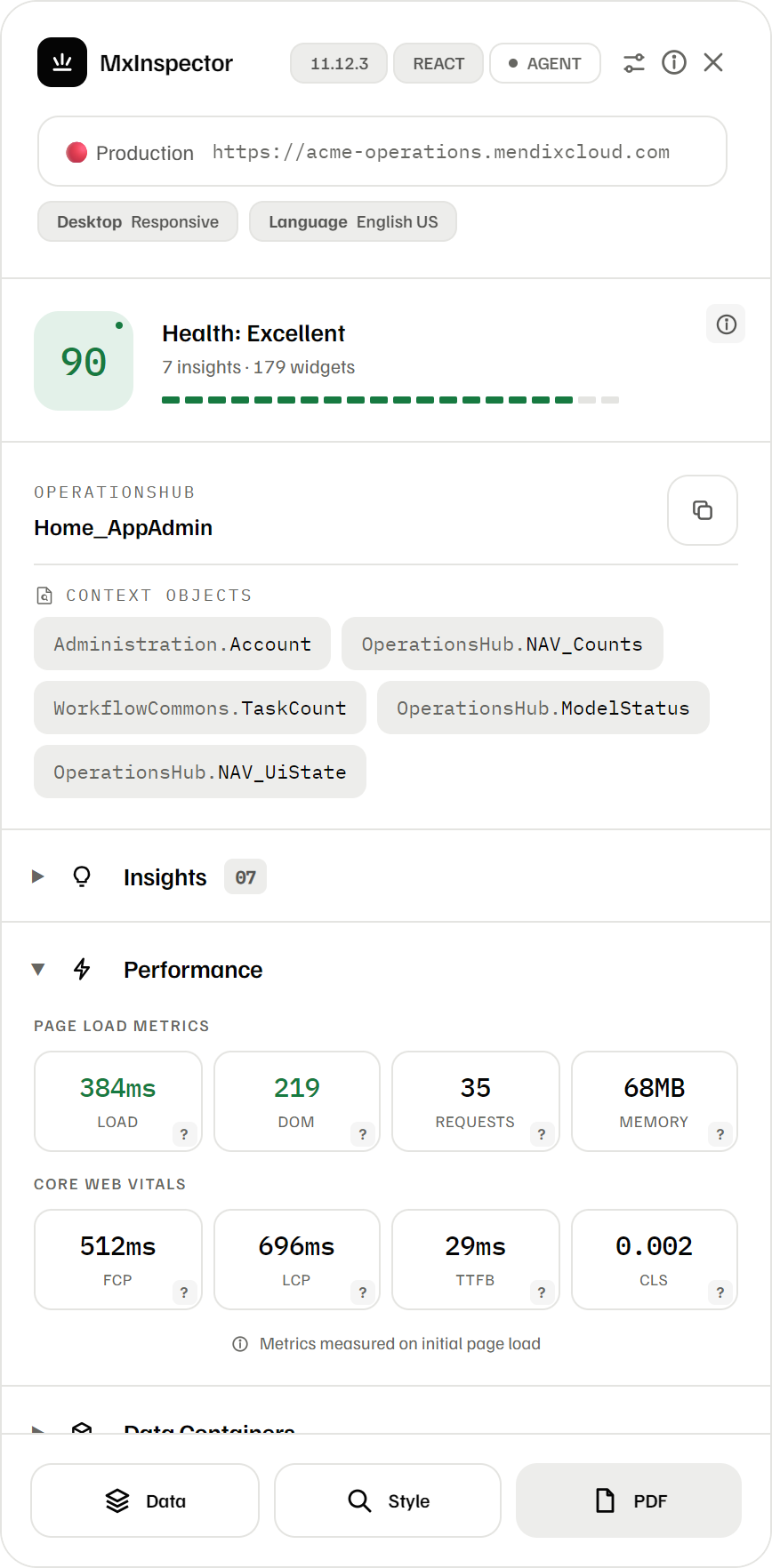
The panel opens on a single 0–100 health score, weighted across performance, accessibility, security and nesting. Click the info icon for the exact deductions. Click an insight and the affected elements light up on the page.
No account, no Studio Pro plug-in, no change to your app. It reads the running client, so it works on test, acceptance and production alike.
Download the release zip, open chrome://extensions, switch on Developer mode and load the folder unpacked.
edge://extensions works the sameAny environment, any page. The toolbar icon arms the inspector for that tab only.
Mendix 10+ React clientDrag it anywhere, double-click the header to minimise. It refreshes itself on every SPA navigation.
no refresh after page changesEvery metric explains what it measures and what to aim for. Shown here with Insights, the Style inspector, the Data inspector down to the attributes, and the accessibility check, on the MxInspector demo app: a small Mendix 11 app with made-up data and a few deliberate findings.
Try it on the demo app →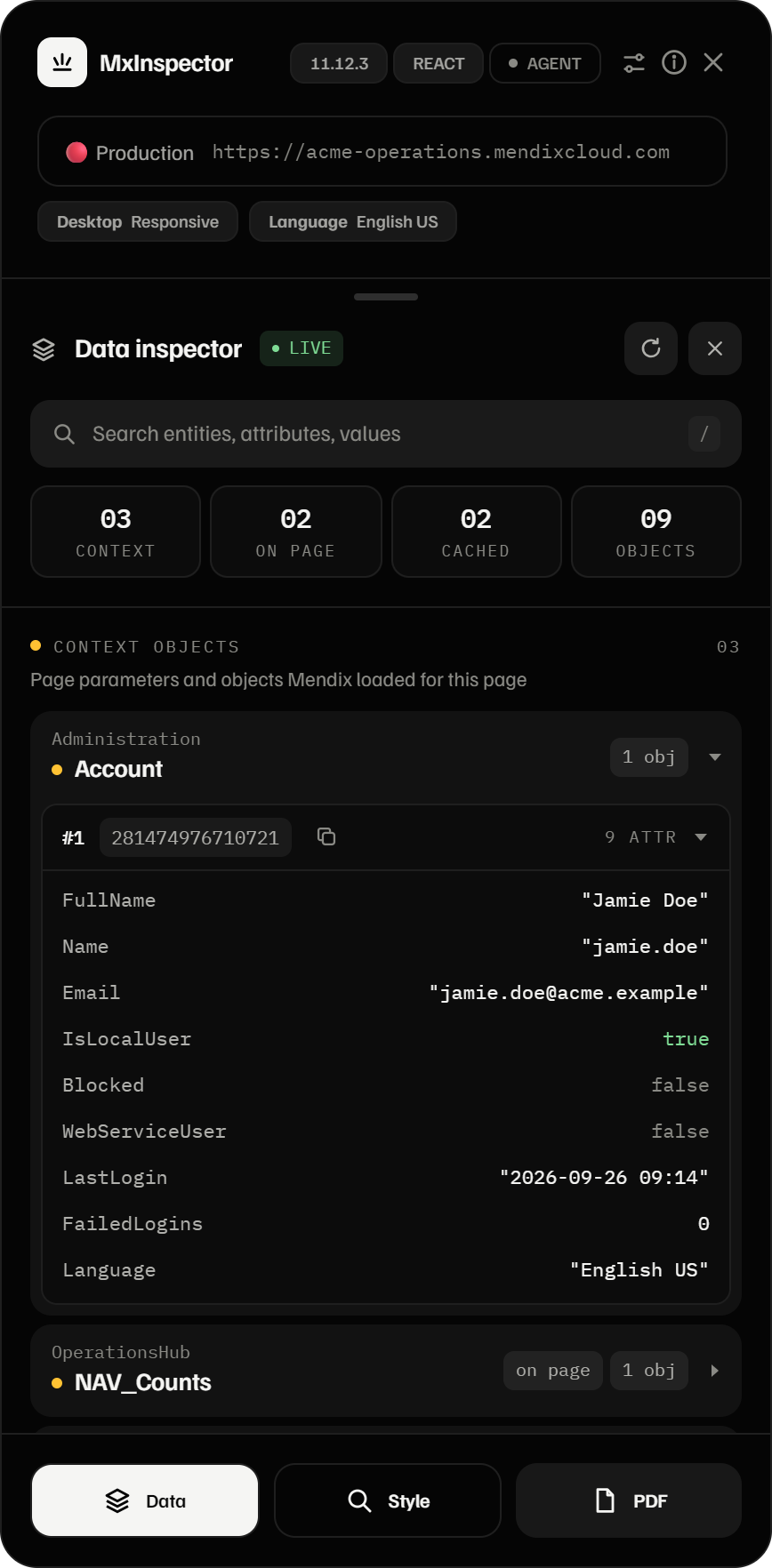
Every entity, object and attribute rendered or cached on the current page, read straight from the React Fiber tree. Hover a row and its containers light up on the page. Click an attribute to copy its value.
Every section reads the same source: the running client. Every finding links back to the element on the page.
Four sections from page parameters to cache. Associations show whether the related object is on the page and jump to it.
Load, DOM, requests, memory, FCP, LCP, TTFB and CLS, captured at document start and colour-coded against benchmarks.
Every /xas/ call for this navigation, deduped by operation. Repeat calls are flagged as the classic nested-data-source pattern.
CVE check against your runtime version, secret detection in constants, demo users, anonymous sessions and writable sensitive entities.
Contrast, ARIA usage, landmarks, skip link and touch-target sizes, with a notice for the European Accessibility Act.
Tag, Atlas and custom classes, full typography and the CSS box in one tooltip. Margin and padding are painted on the page.
The same read of the running client answers different questions, depending on who is asking.
See which objects a page holds, which widget reads them, and which CSS rule wins. Fix it in Studio Pro instead of guessing.
Log in as a role and read exactly what reaches the browser. Attributes without read access never show up.
Contrast, target size, missing names and focus styles, each marked on the page with what to aim for.
One score across performance, accessibility and security, and a PDF report to share. Nothing to install in the app.
Styling Mendix usually means guessing whether Atlas, a widget stylesheet, a design property or your own SCSS is winning. window.__mxiAgent tells your coding assistant which rule wins, from which file, at what specificity and through which token.
It reads what the Mendix client already holds, nothing more. An attribute your role has no read access to never reaches the browser, so it never shows up here. Log in as a role, open your pages, and see exactly what that role can read.
Reads the client-side React Fiber tree. No telemetry, no analytics, nothing sent to us.
Strict Mode limits mx.data.get. The inspector never uses it.
Network timing hooks attach only once a page proves to be a Mendix app. Other sites are left alone.
Score, insights and findings in a file you choose to share.
No. Everything is read from the client: the React Fiber tree and the requests your page already makes. The only request it can make itself is the opt-in doc-endpoint probe in the security panel, and only when you click it.
No. It reads the Mendix client in your own tab, so it only sees what the runtime sent to that session. Objects and attributes your role has no read access to are never sent, so they never appear. That makes it a quick check of your entity access: log in as a role, open the pages, and look at what the Data inspector shows. It covers the pages you open, so it adds to a security review rather than replacing one.
Mendix 10 and 11 on the React client, which is where it is tested. The older Dojo client (Mendix 7 to 9) is still detected and has fallback paths, but those are not recently exercised, so expect rough edges there.
Yes. It only reads what the page has already loaded and changes nothing in your app, so it adds no load to the environment. It runs only on the tab where you click the toolbar icon, and the Agent API for AI assistants stays off until you switch it on.
Yes. It is licensed under PolyForm Shield 1.0.0: free for any purpose, including commercial work for clients. The one thing the license does not allow is using the software to build a product that competes with it.

Download the release, load it unpacked and open your app. No account, no configuration, no tracking.